Redesigning a platform to increase user retention

Overview

The Connected Parent, a web-based SaaS platform that helps families find and review disability, autism, and mental health resources with ease and confidence. This early-stage SaaS startup needed to improve usability and accessibility across its platform, balancing speed-to-market with user trust.

Role

Lead designer

Visual designer

Prototype

Design system

Team

Engineer

Product manager

Duration

13 months

Problems

Basic user flows

Writing reviews and creating accounts are confusing and frustrating

Search and filtering

Searching is not intuitive and could benefit from clear filter options.

Accessible Palette

The existing color palette fails WCAG guidelines in several areas and requires an overhaul.

0%
Are most influenced from reviews by other families
0%
Participated online and in-person events
0%
Have family members needing help with 100% of tasks
0%
Attend 5-10 events per year

Results from survey conducted with parents and caregivers navigating disability and autism resources.

Design Development

Defining the Sitemap

I mapped the existing screens to identify any overflow or redundancies, and then devised a new sitemap. Defining this sitemap was incredibly beneficial because, aside from easing the flow throughout the site, it served as a roadmap for how to proceed with this huge overhaul. Having the client visualize the pages while we discussed priorities was a big help. Since most of the pages were either being completely redone or added/removed, looking at the existing site wasn't as beneficial as this approach for understanding our scope.
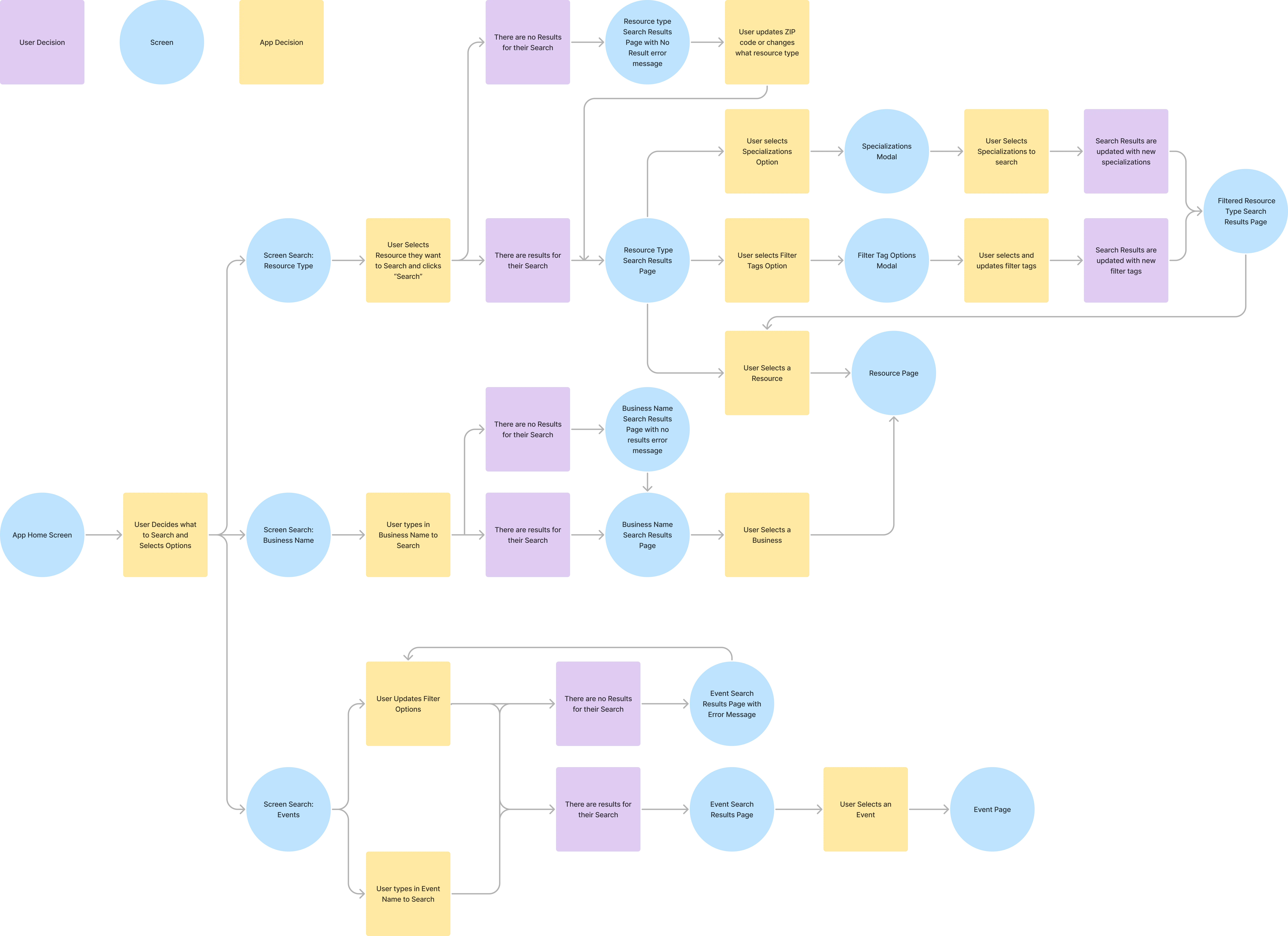
Site map

Redefined Sitemap

Iterating Layouts

Wireframes were quickly created to review the priority of components and review new layouts. The focus was mostly placed were simplifying navigation, seeing where and how we could shift to a reusable component system. A large constraint in this phase, as well as through a lot of the design implementation, was the restricted search feature that required users to select keywords instead of typing them in. This impeded user experience and would be rectified in later developments.
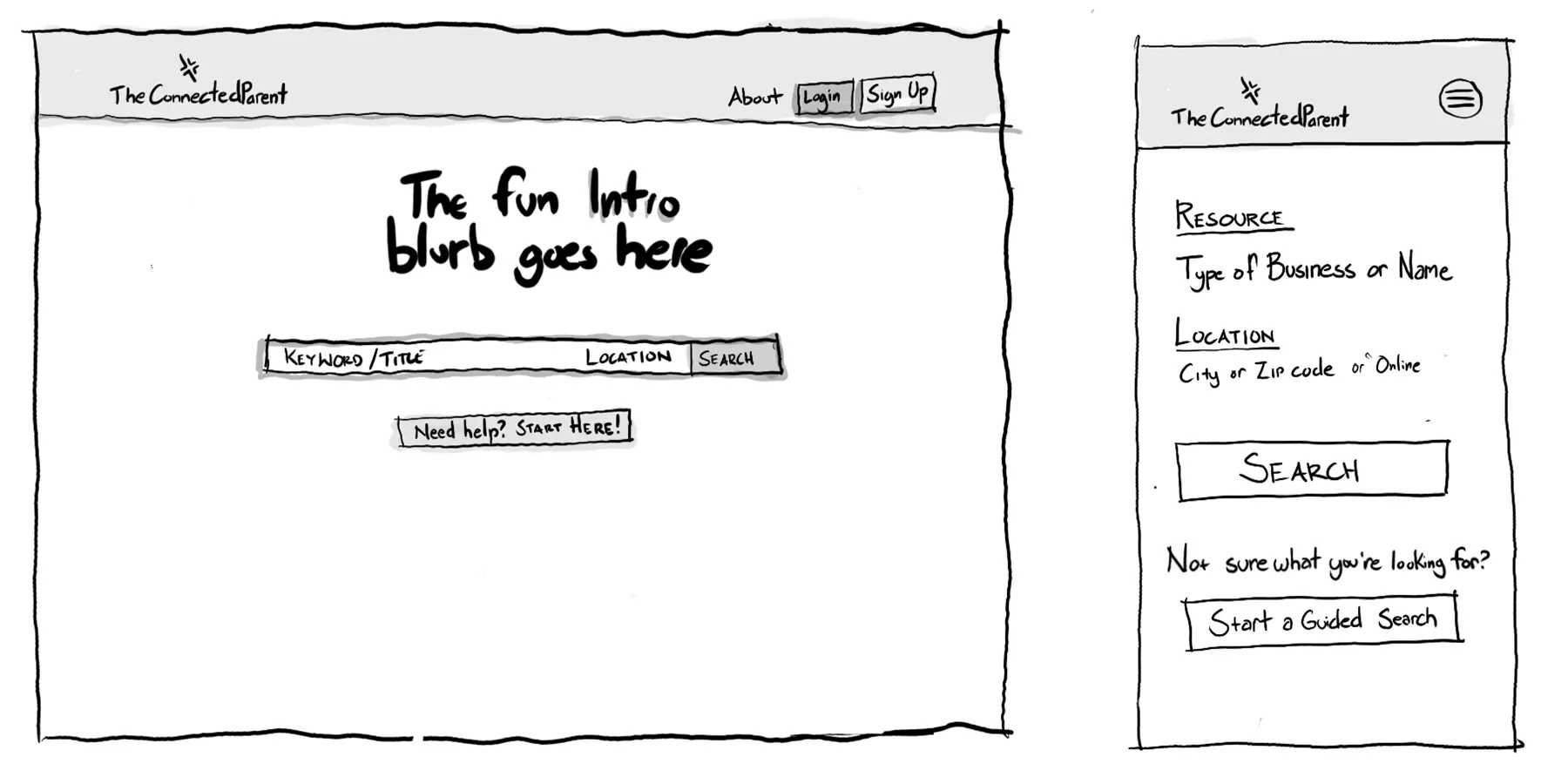
Lofi Wireframes 1

Low-fidelity wireframes of the homepage
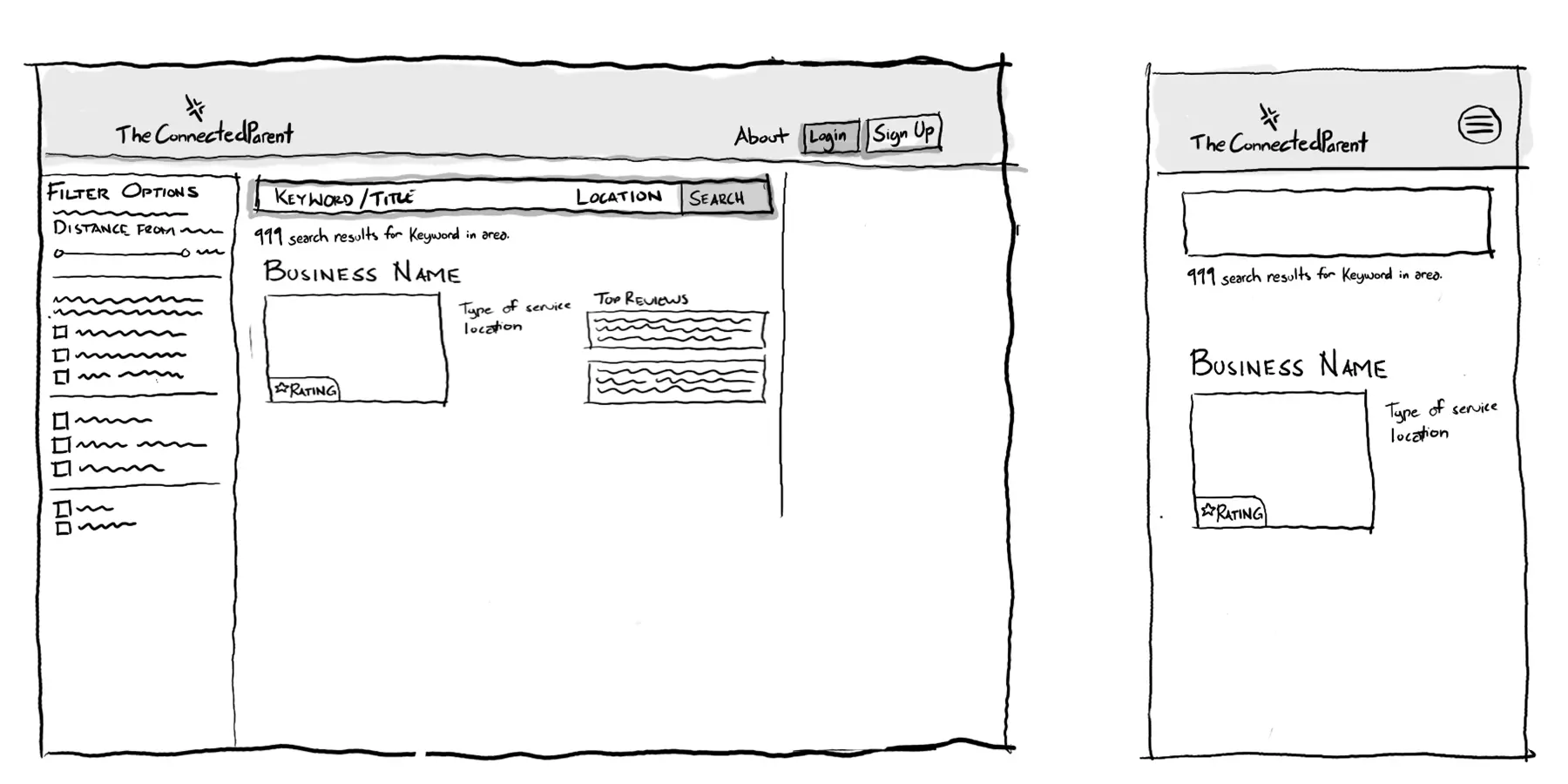
Lofi Wireframes 2

Low-fidelity wireframes of search results page
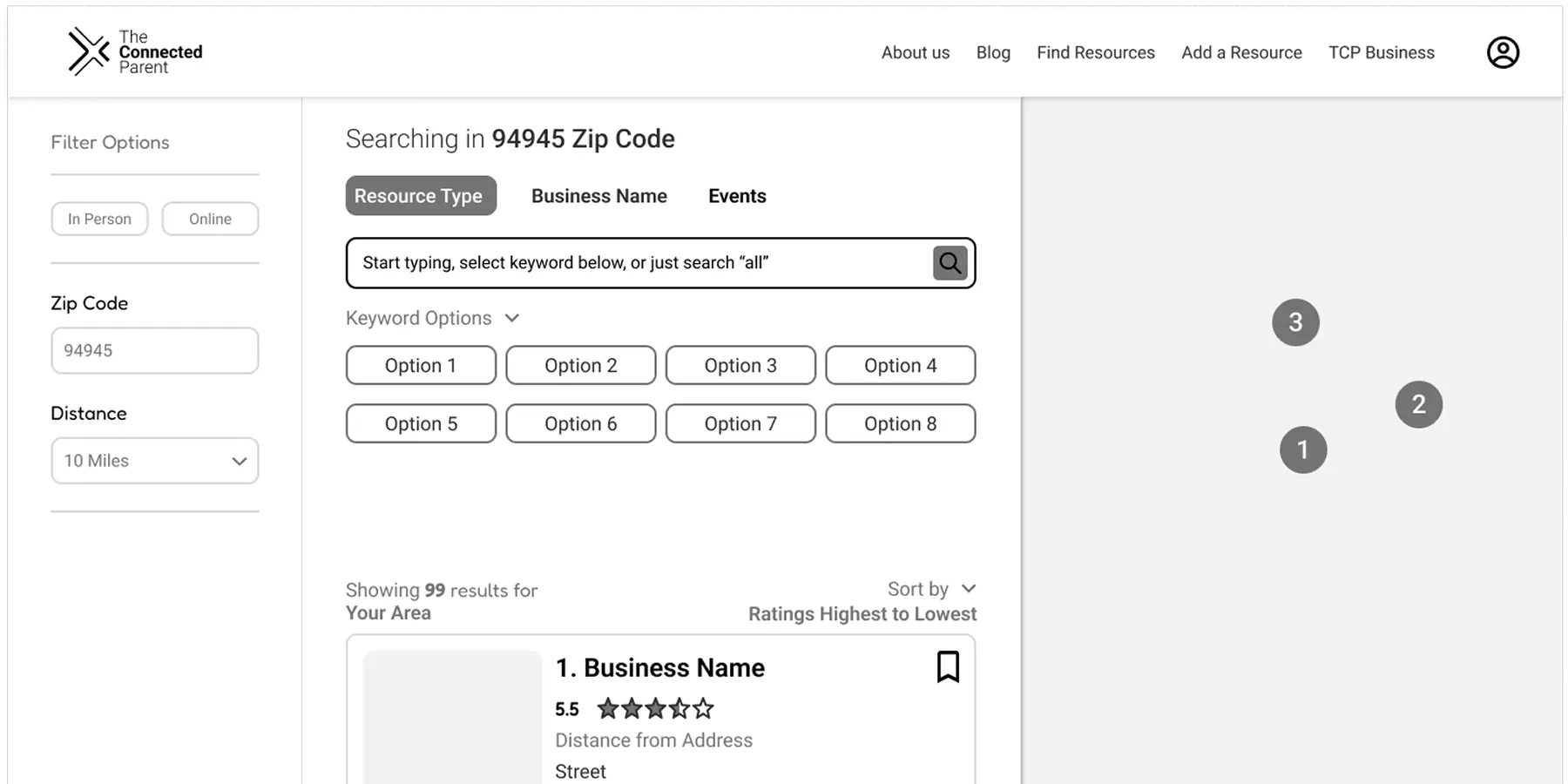
Medfi Wireframes 3

Mediumn-fidelity wireframes of search results

Style Guide and Accessibility Overhaul

All styles were implemented into Figma for efficient and consistent designs. The accessibility updates proved to be an immense undertaking, as it required careful consideration of all existing marketing materials, emails, and other assets. The scope of the task involved ensuring that the new colors not only addressed accessibility concerns but also seamlessly integrated across their entire range of materials.

Through this collaborative process, the client and I worked together to refine the palette and found an outcome that exceeded the client's expectations.
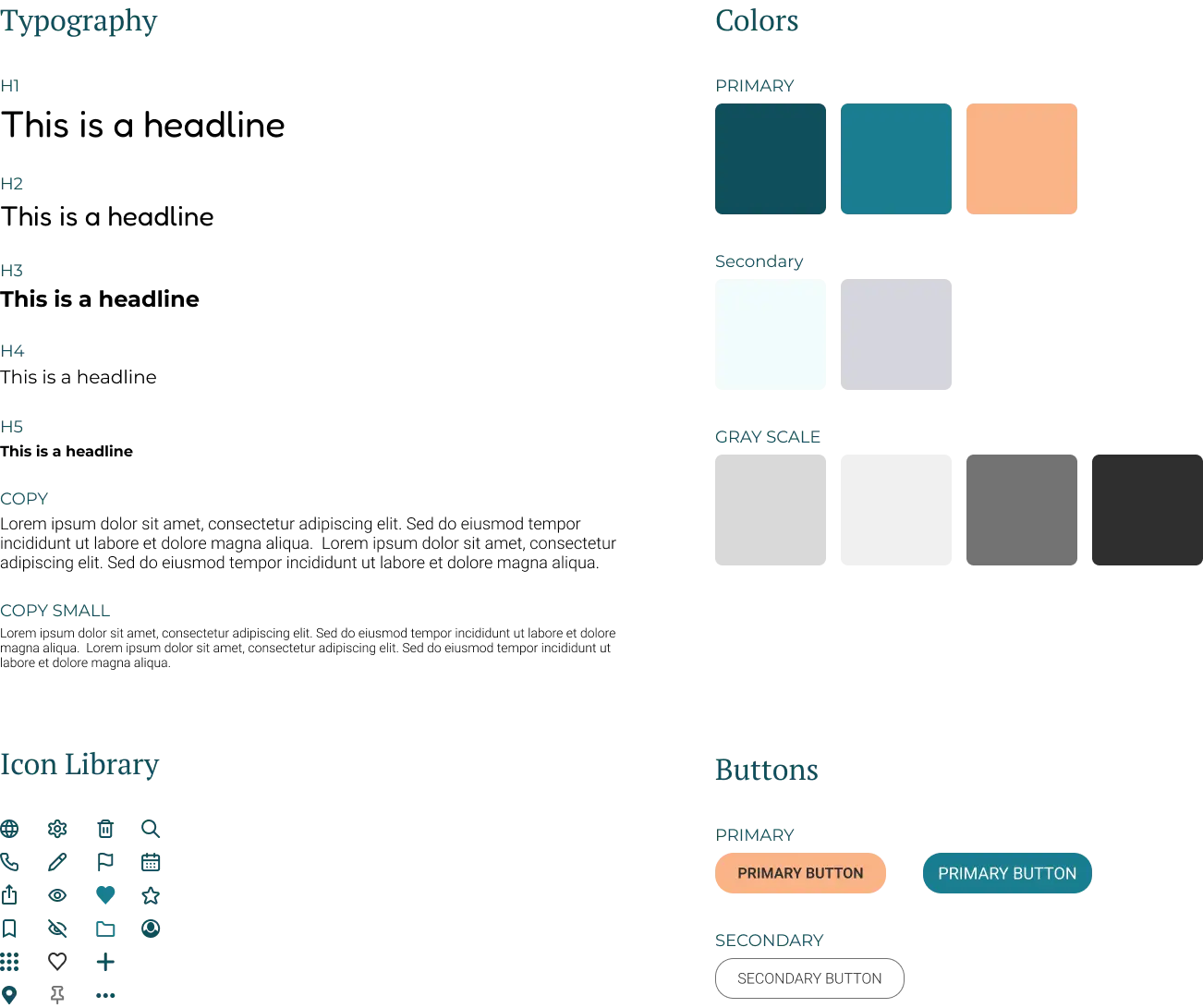
Full height image

Figma Style Guide

Establishing Solutions

Home and Search

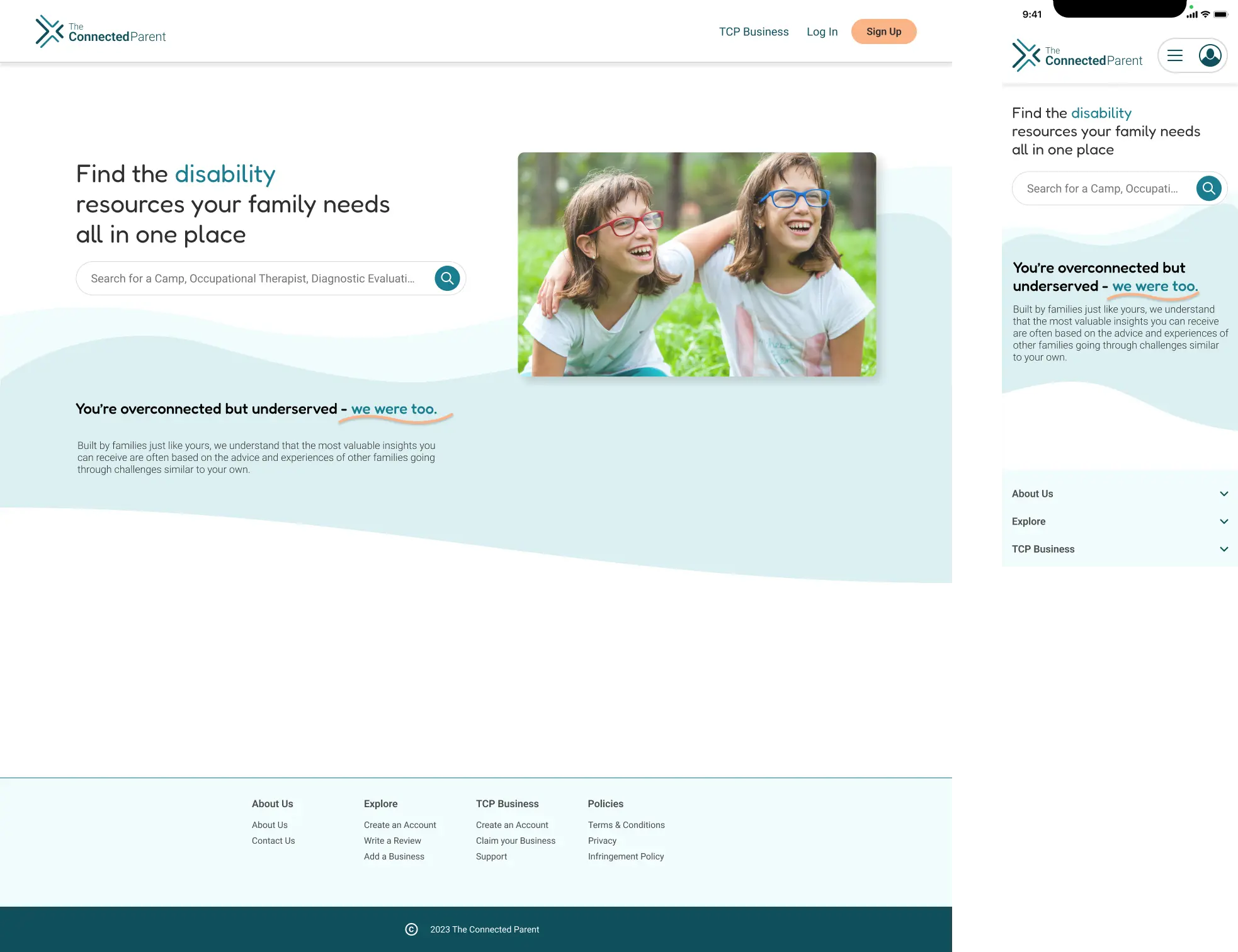
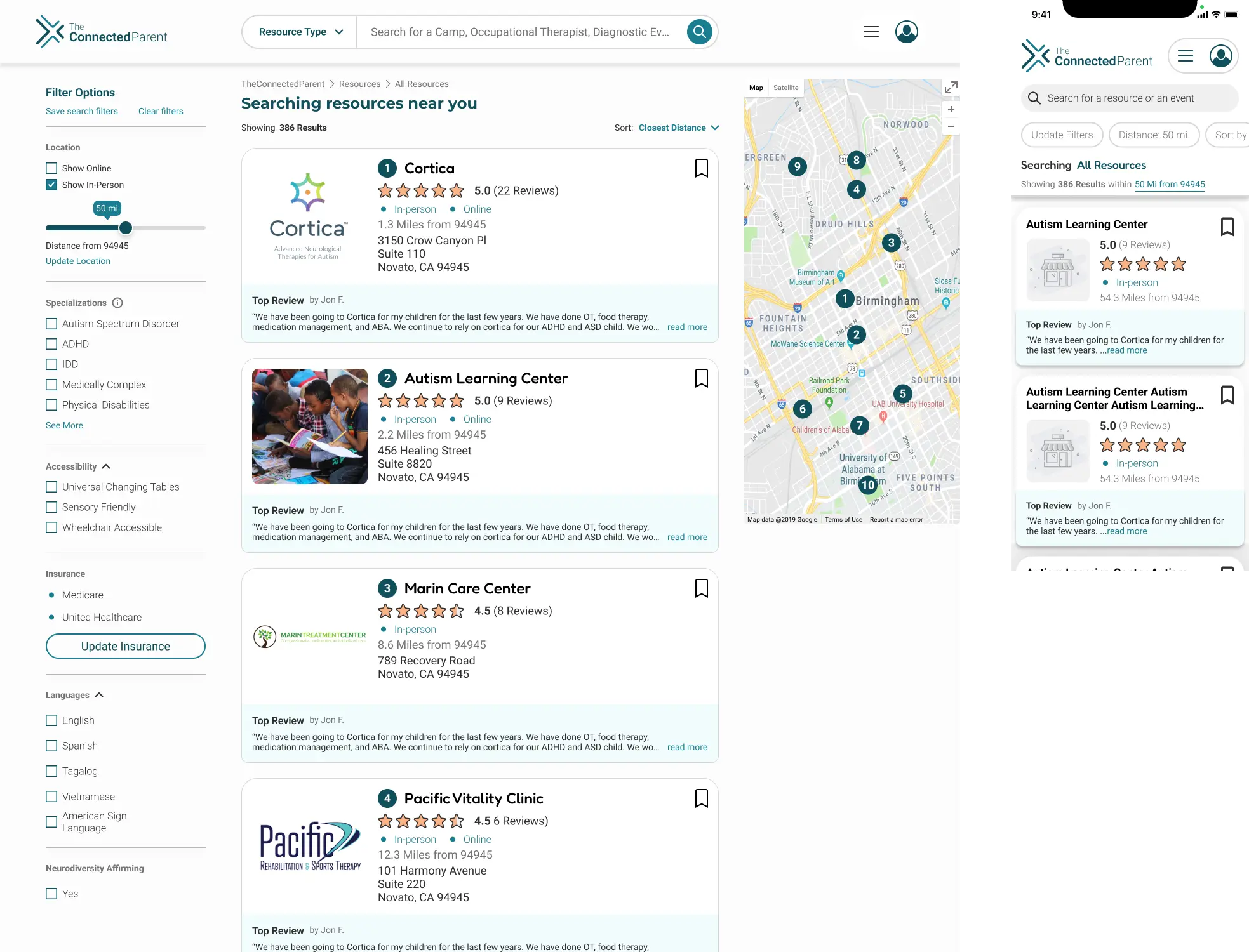
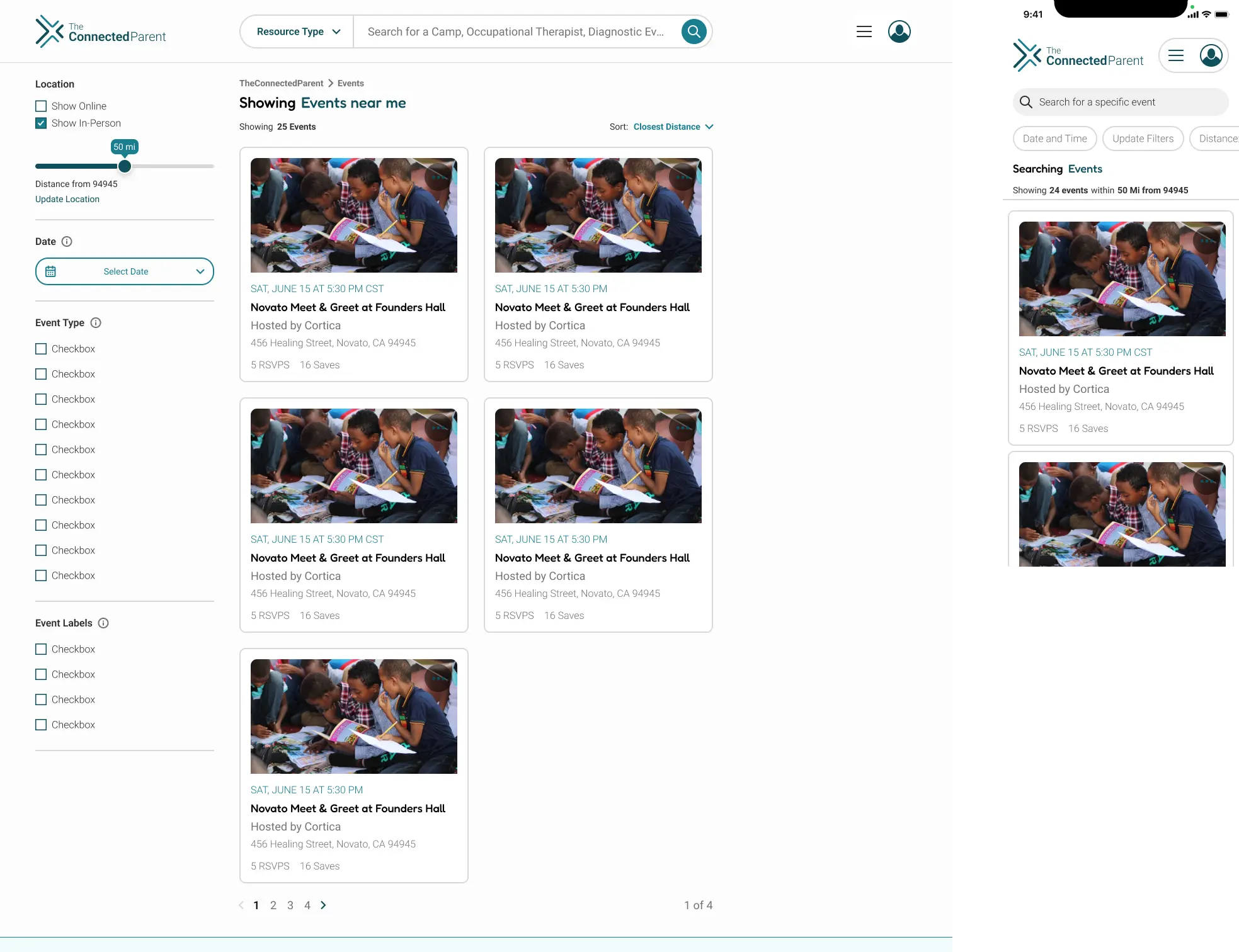
We redesigned the home and search experience to help families find resources faster while reducing decision fatigue. Improved filtering and clearer information architecture made it easier to move from browsing to booking with confidence

Home Screen

Home screen

Resource Search screen

Resource Search screen

Event Search screen

Event Search screen

Business Page

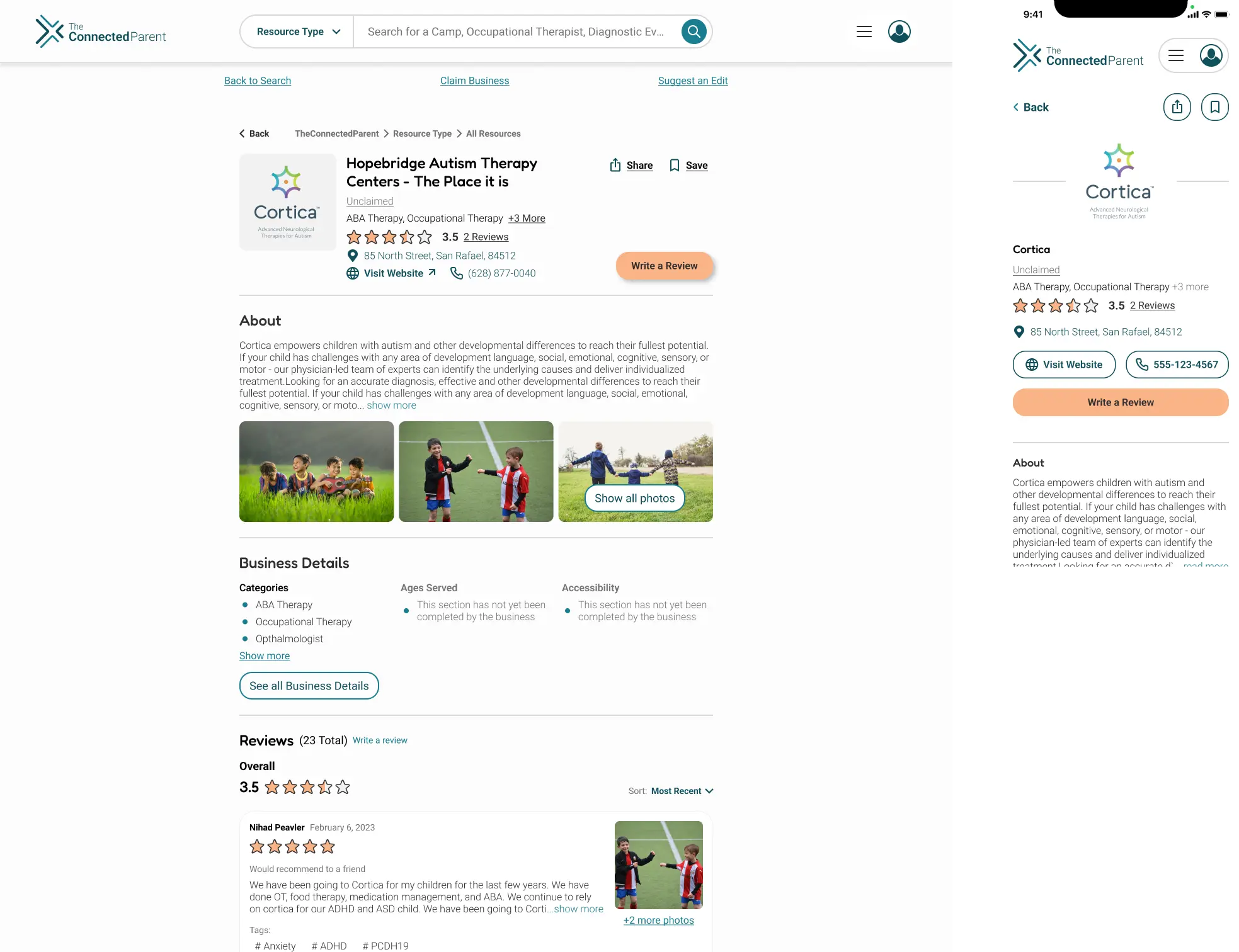
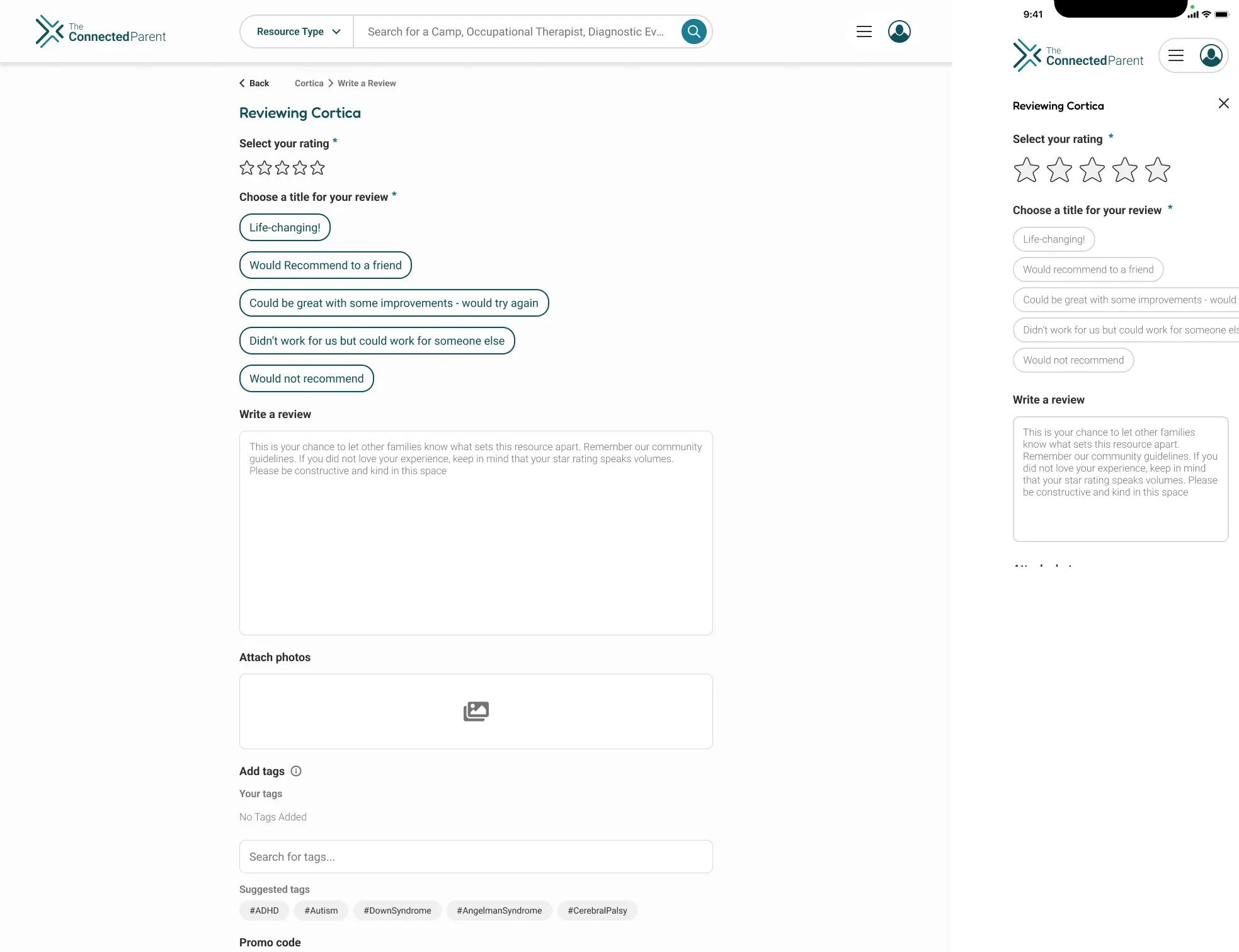
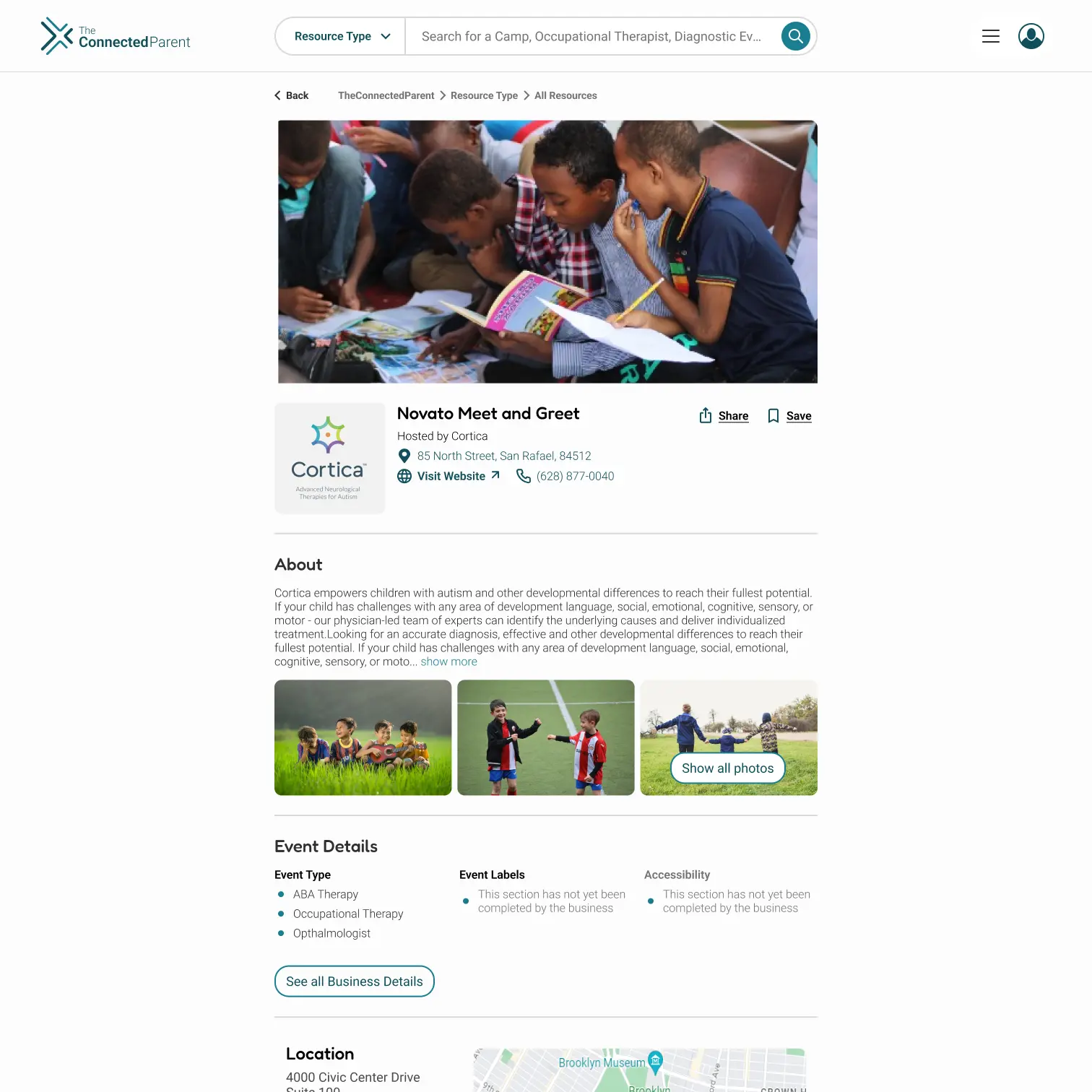
Business pages were rebuilt to foreground credibility and social proof. Services, contact information, and community reviews now follow a hierarchy that answers parent questions immediately, while a simplified review flow encourages more families to share their experiences.

Business Page Screen

Business Page Screen

Business Page Review screen

Business Page Review Screen

Event Page

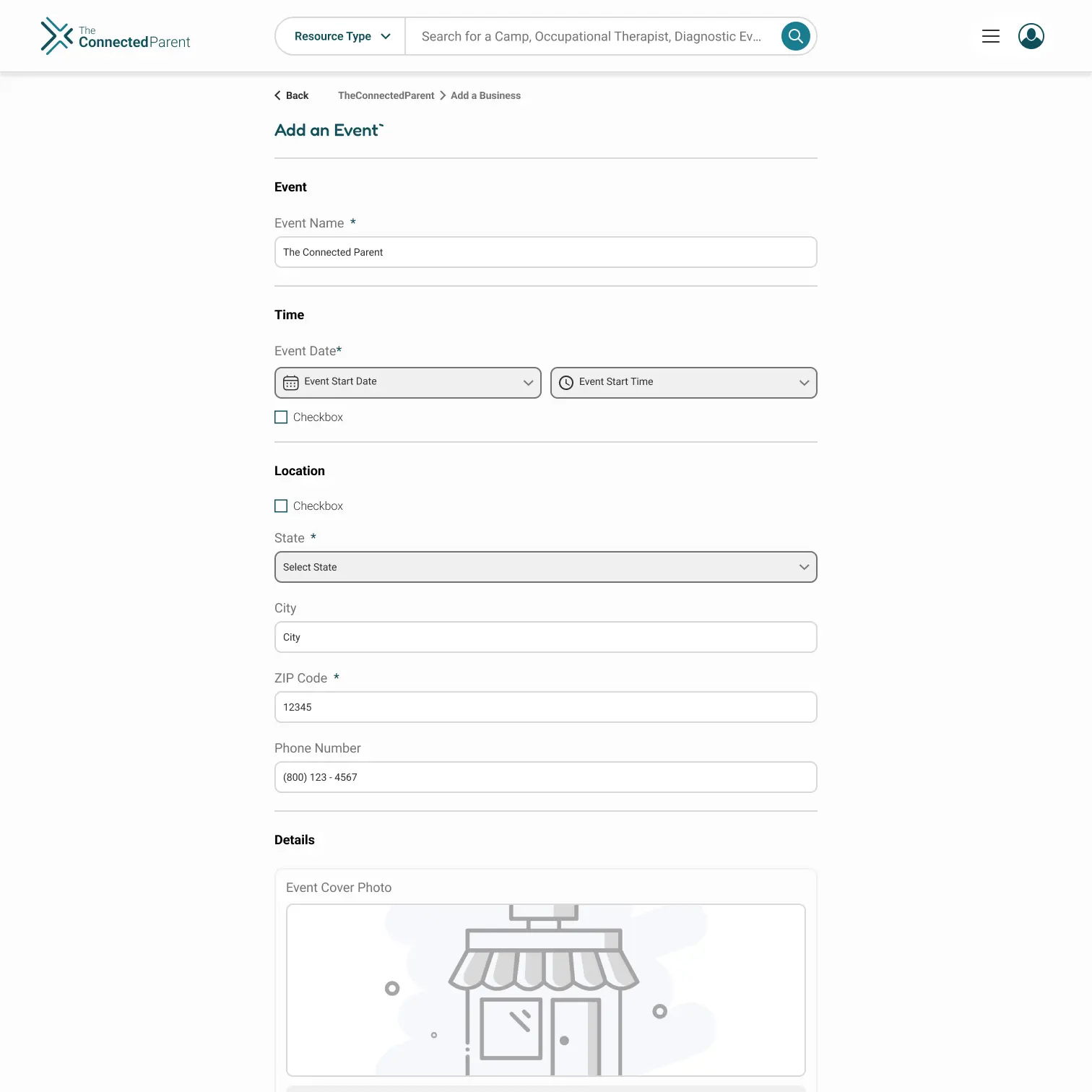
The event experience was designed for caregivers managing packed schedules who need information quickly. Clear details and streamlined actions make it easy to discover activities or contribute events without adding friction to already busy lives.

Event screen

Event Screen

Add Event screen

Add Event Screen

User Profile

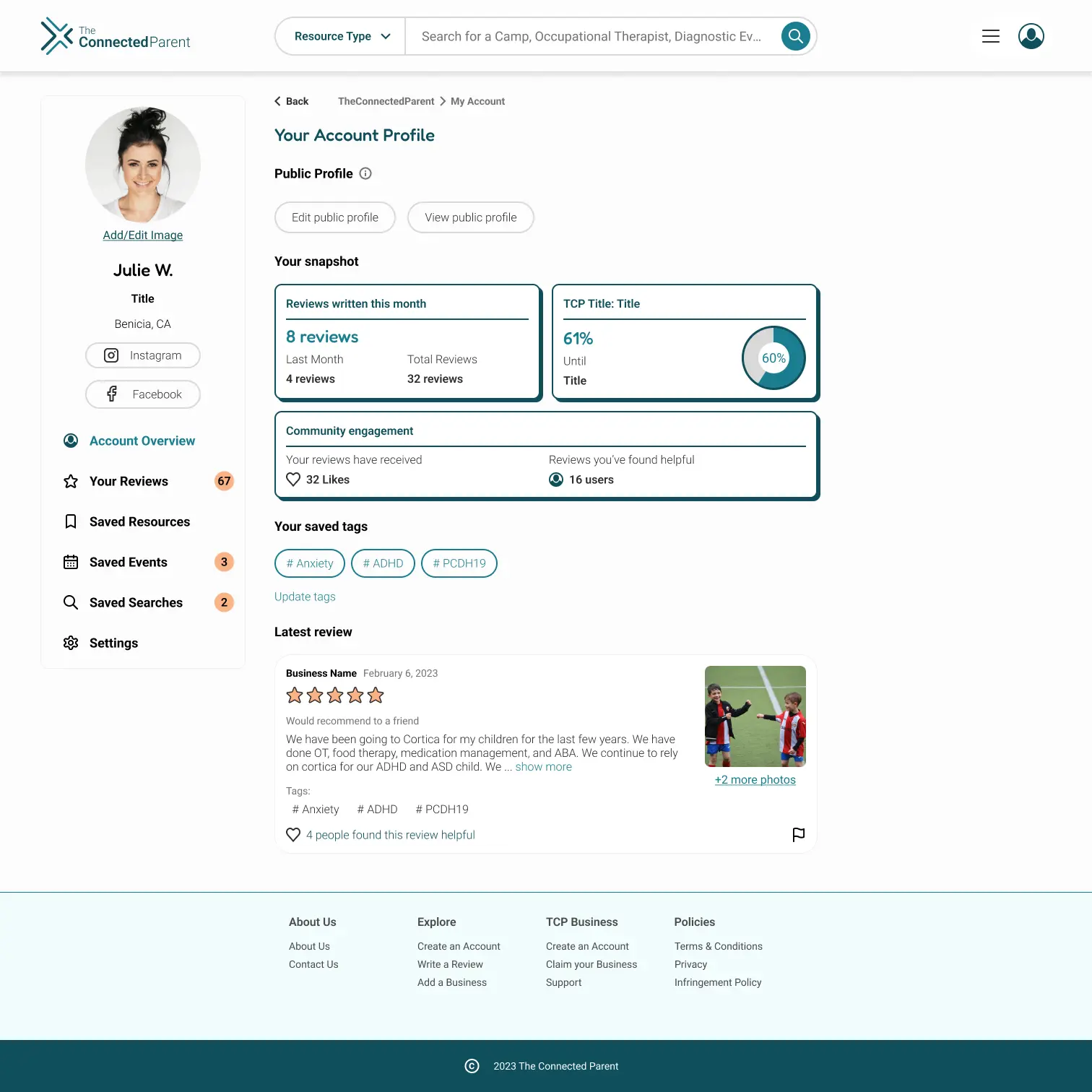
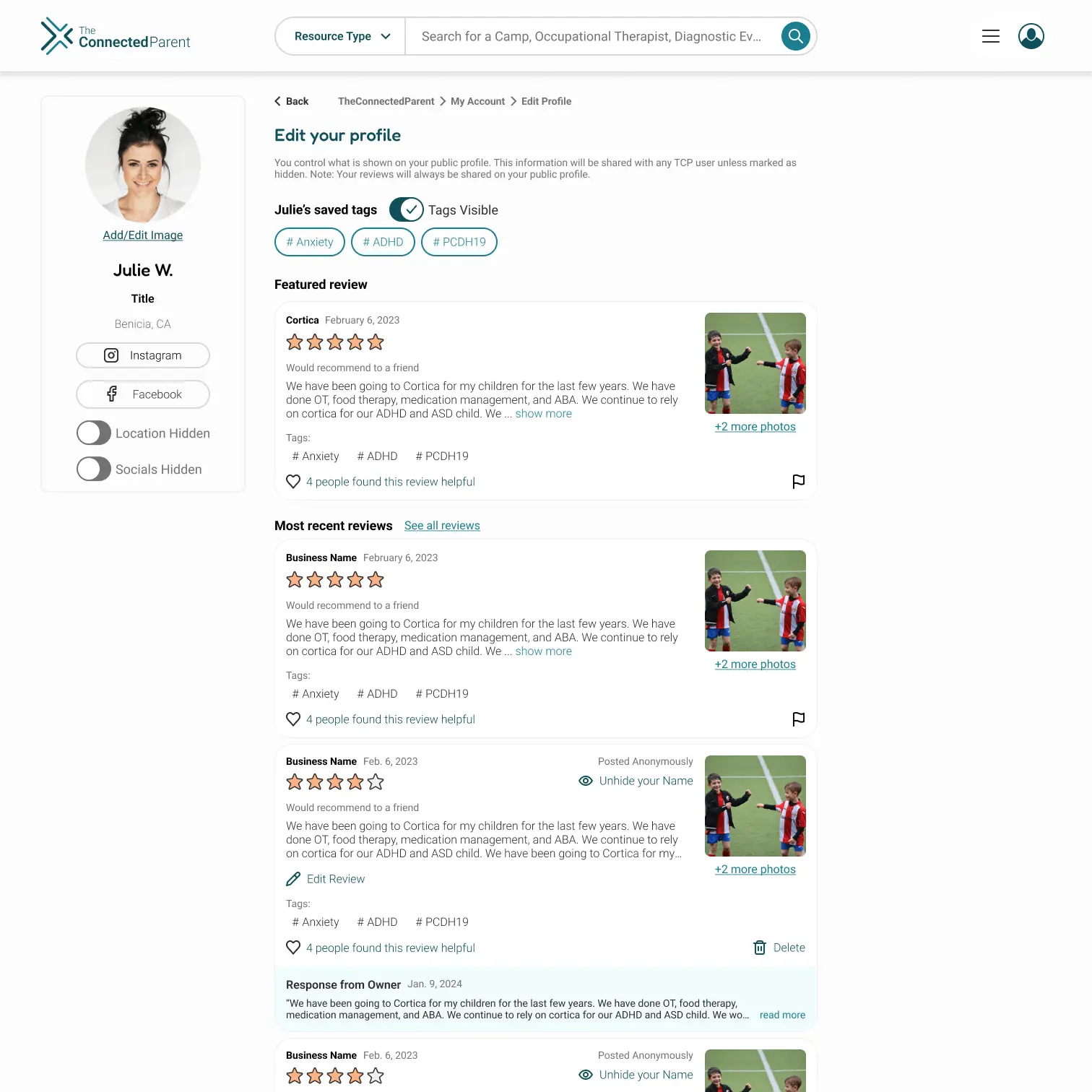
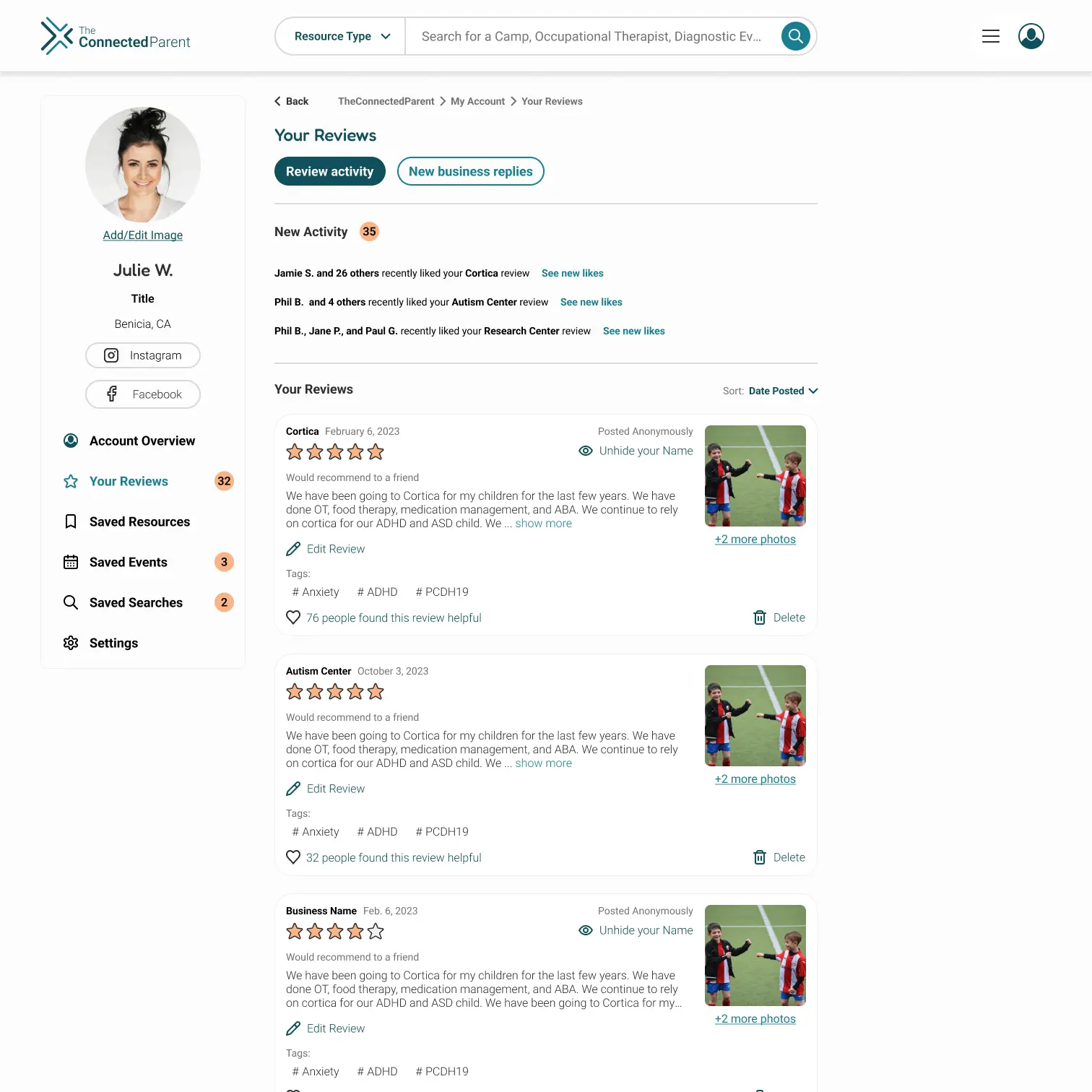
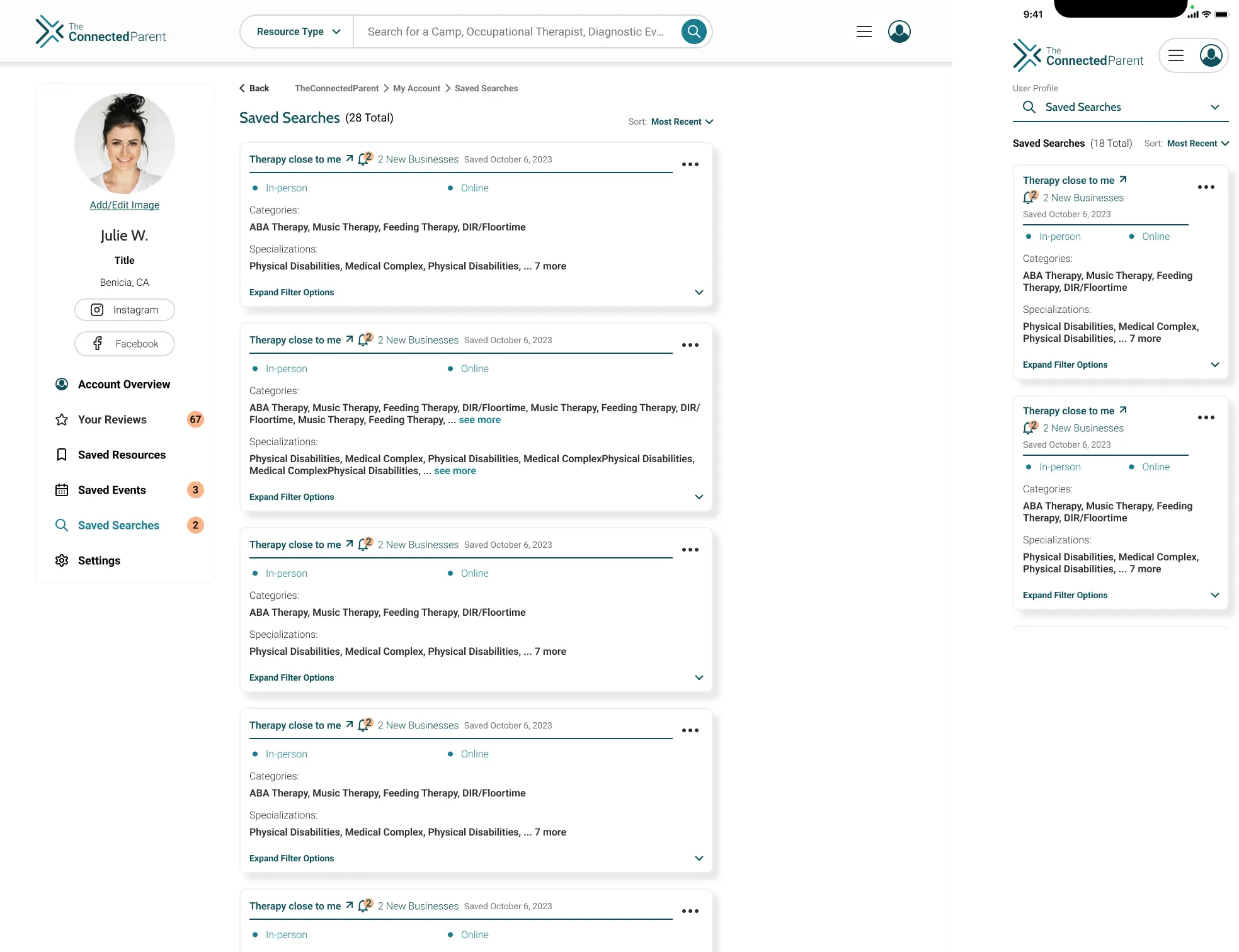
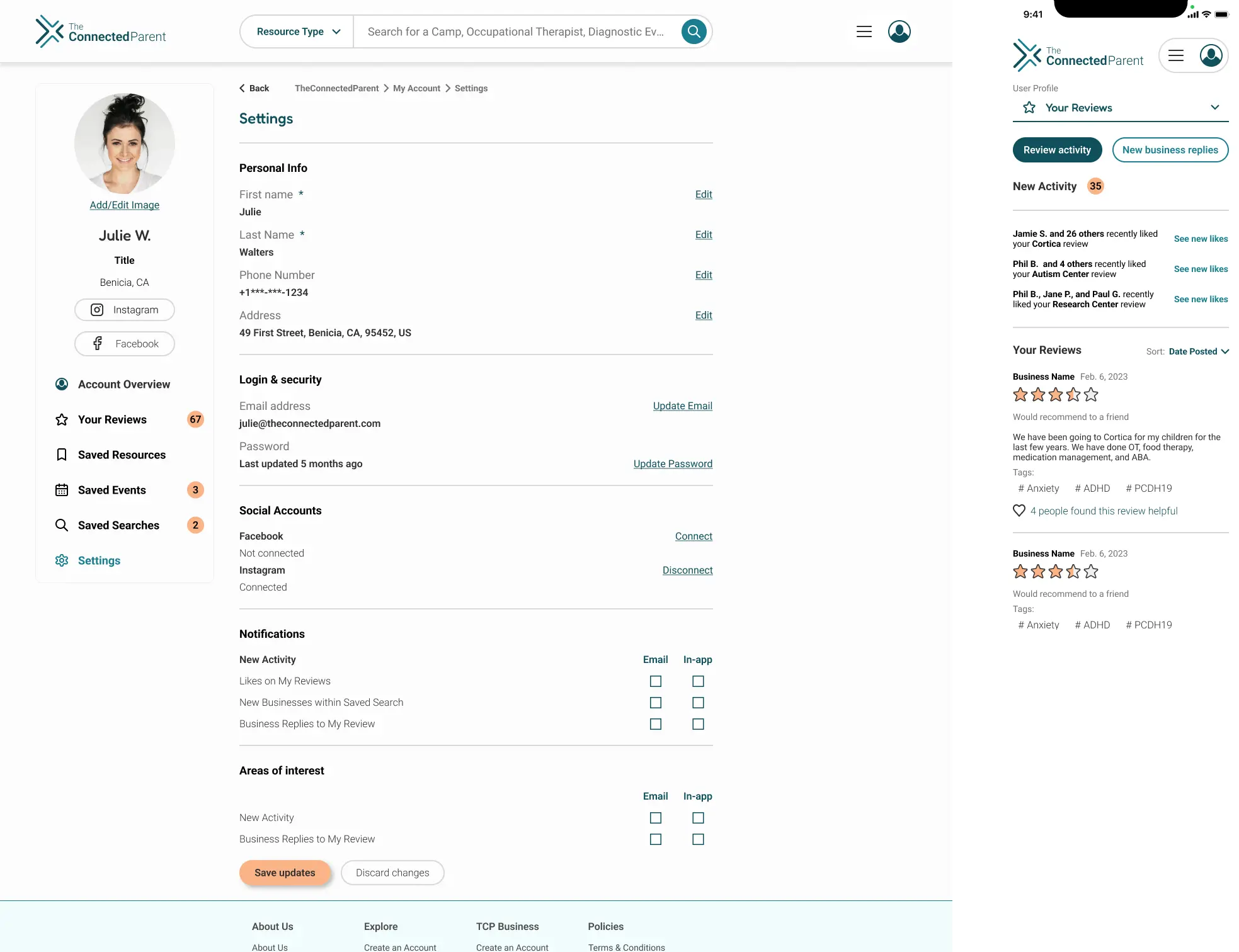
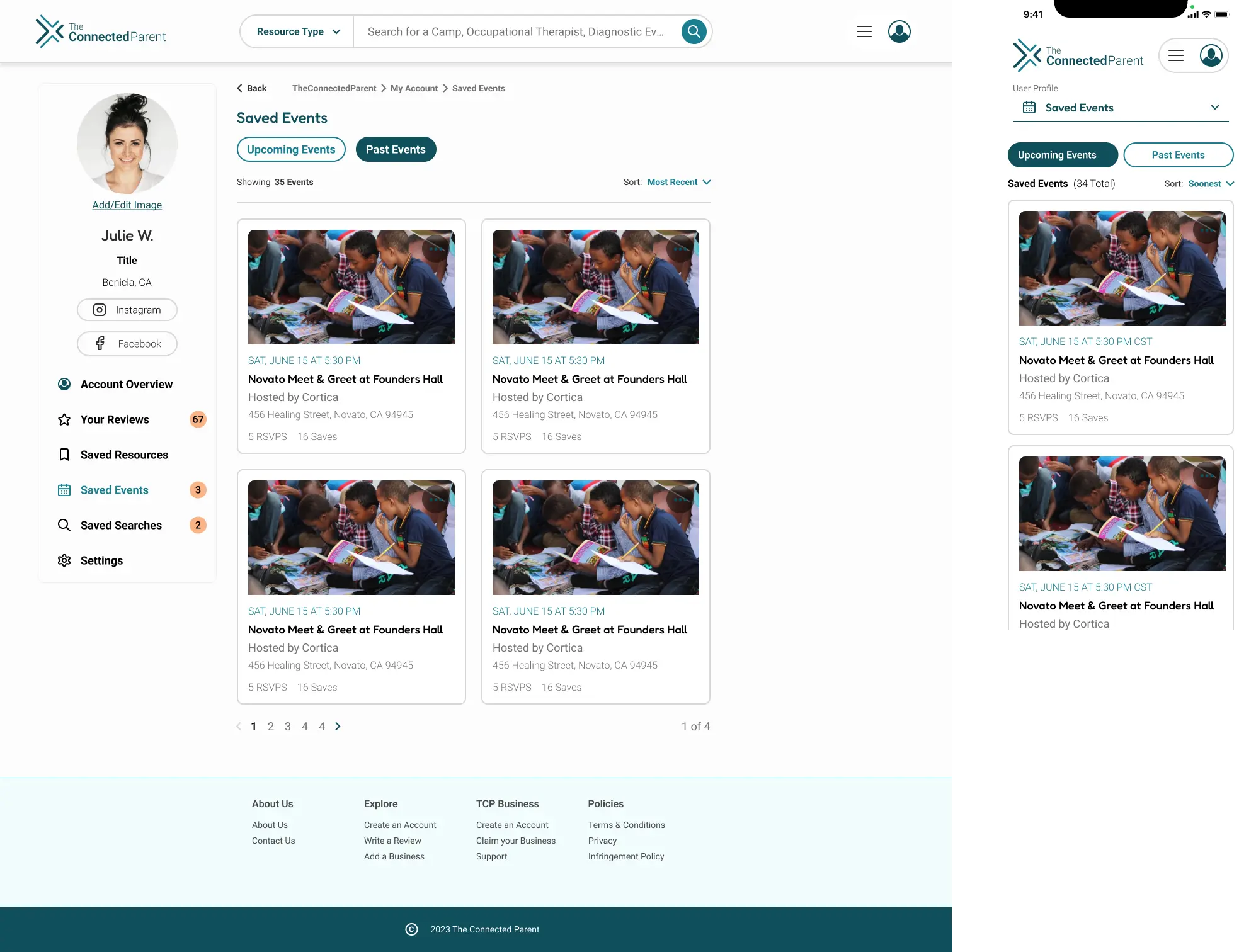
We created a user prtofile that helps families manage their activity while discovering how they connect to others with similar needs. Saved searches, reviews, and profile tools now live in one place, encouraging return visits and deeper platform engagement.

User Profile Overview Screen

User Profile Overview Screen

User Profile Edit Screen

User Profile Edit Screen

User Profile Reviews Screen

User Profile Reviews Screen

User Profile Searches Screen

User Profile Searches Screen

User Profile Settings Screen

User Profile Settings Screen

User Profile Events Screen

User Profile Events Screen

Business Portal

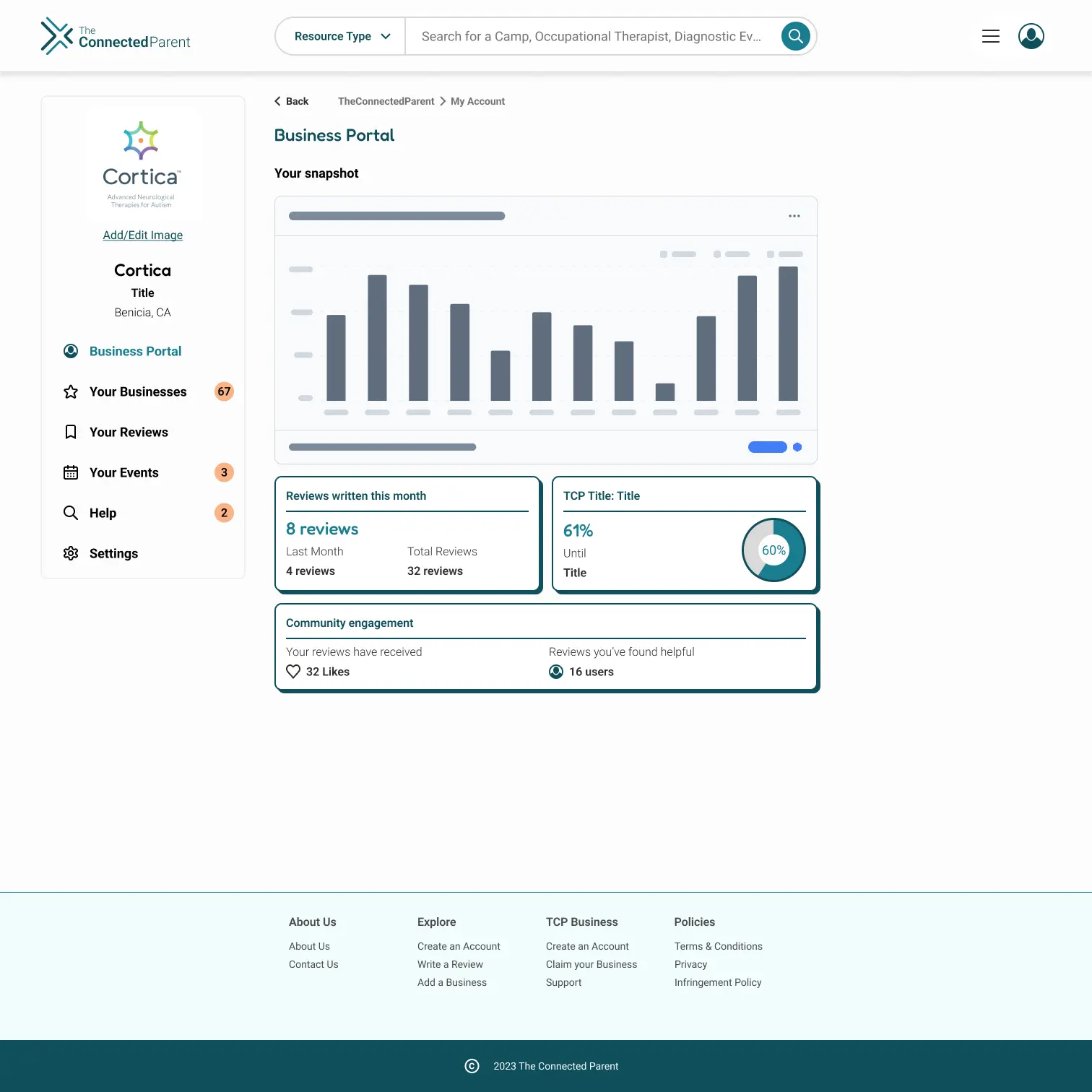
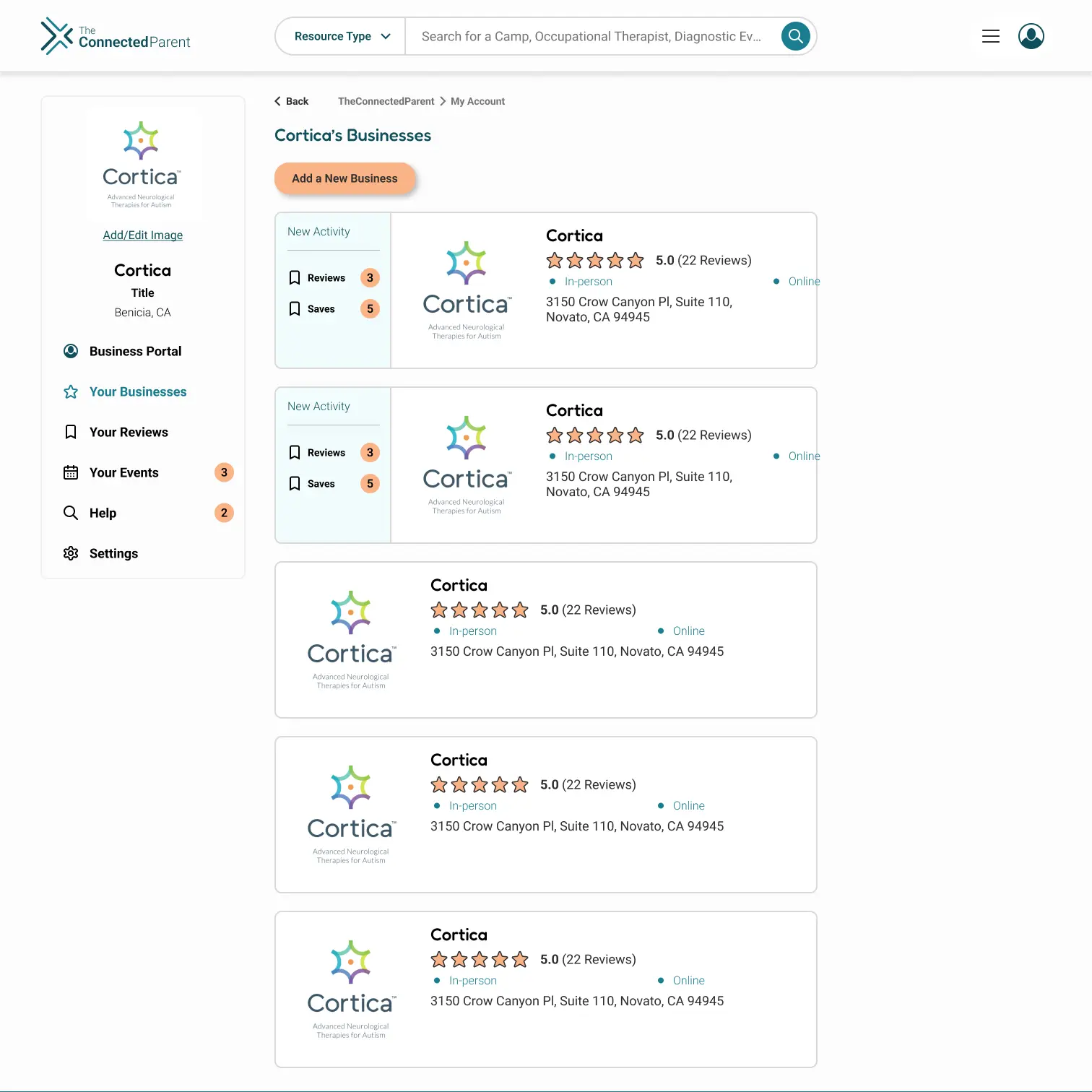
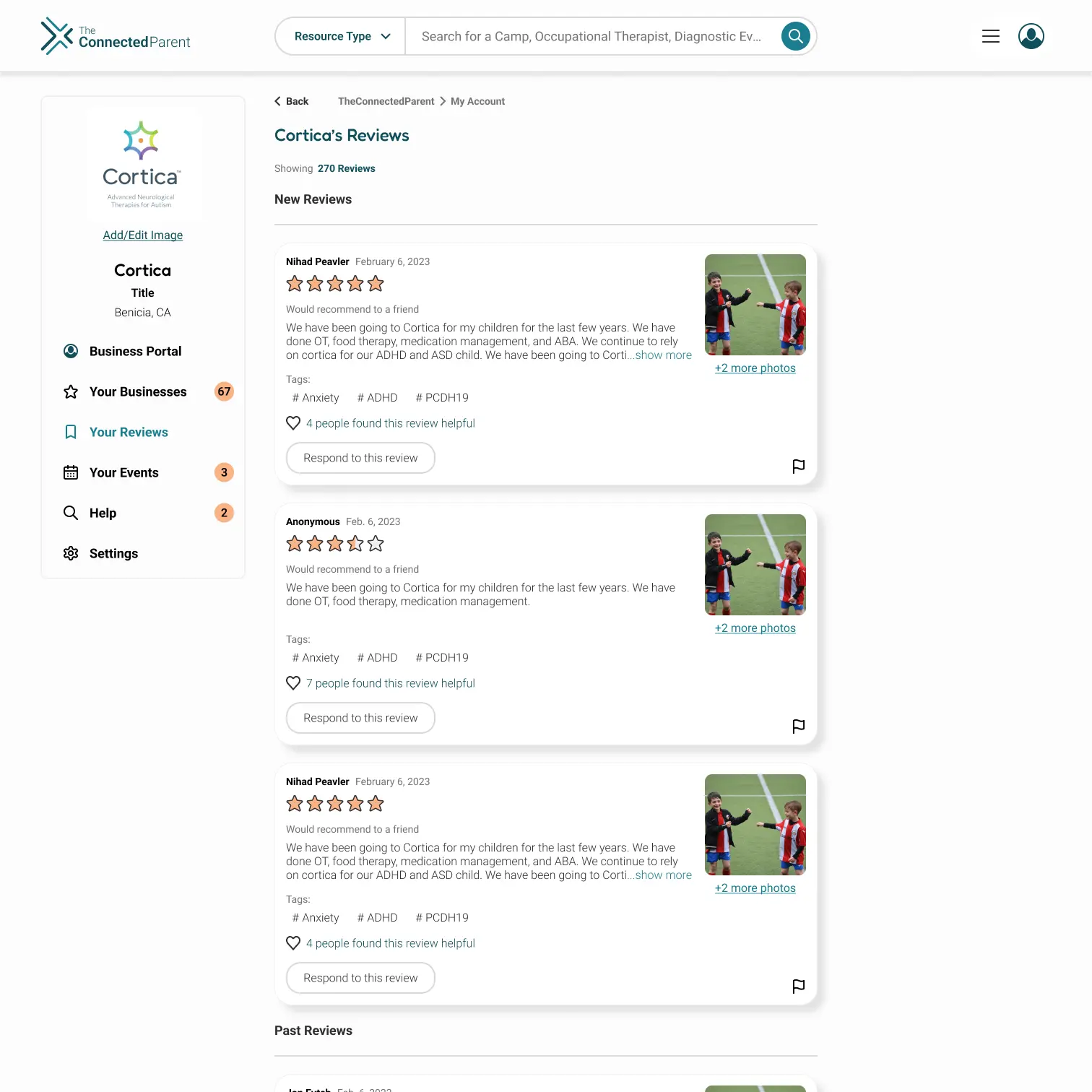
A business portal was built to help providers manage their presence with less administrative overhead. Streamlined listing tools and review management encourage active participation, strengthening the ecosystem for both businesses and the families who rely on them.

Business Portal Screen

Business Portal screen

Business Portal businesses screen

Business Portal businesses screen

Business Portal reviews screen

Business Portal reviews screen

Prototype

The redesign focused on clarity and trust rather, creating a tool that families could navigate with confidence. Every decision centered on improving usability and accessibility to ensure the experience felt intuitive, reliable, and supportive.

Prototype: Iterations tested with families for clarity and usability.

Reflection

Designing this app held a deep personal significance for me because my brother-in-law has a disability in which he requires comprehensive support in his daily life. Because of this, I have witnessed firsthand the challenges and obstacles involved in accessing disability resources, particularly for adults. This drove my passion to assist the client in enhancing their existing website to better serve users.

Embarking on this project, I found great excitement in my client's enthusiastic approach. It became clear to me that prioritizing the user's needs and ensuring the brand's identity aligned with its function were of utmost importance. Throughout the process, there were numerous obstacles, such as determining the right colors for the brand, which required multiple discussions with the client. However, the end result is a design that is inclusive and user-friendly, and it fills me with pride.

Looking ahead, the design has the potential to expand as additional features, including a social platform, are incorporated into the website. I am eager to further refine and develop these ideas, building upon the foundation we have laid he final design of The Connected Parent platform offers an enhanced user experience, improved accessibility, and a refined visual identity. This project reinforced the importance of user-centered design principles in creating impactful digital solutions.